
IPTV Free Trial Guide: How to Test Streams and Servers Before Buying
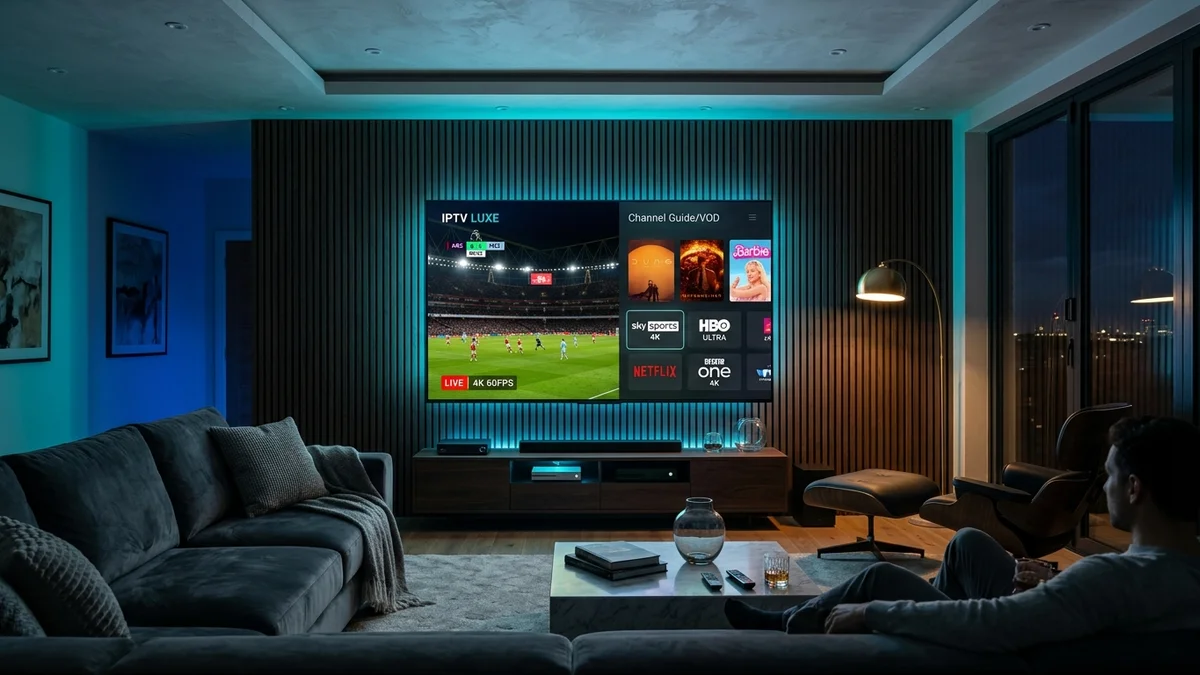
Before investing in any digital television subscription, testing server stability is an essential step. Our authoritative iptv free trial guide reveals exactly how to evaluate stream latency, verify genuine 60 FPS sports feeds, audit video-on-demand libraries, and confirm 24/7 customer support responsiveness before spending a single dollar.
Many prospective subscribers wonder: “can i use for free?” At iptvfreetrial.us, we actively encourage all users to claim an unrestricted 24-hour trial with zero credit card required. Here is how to make the most of that evaluation period.
1. Test During Peak Streaming Hours (8 PM – 11 PM EST)
Any server can stream smoothly on a Tuesday morning at 10 AM when network traffic is minimal. The true test of a provider’s infrastructure occurs during peak evening hours between 8:00 PM and 11:00 PM Eastern Standard Time, especially when major sporting matches or prime-time broadcasts take place.
During your trial window, tune into high-demand channels such as ESPN, NBC Sports, or local NFL broadcasts. If the stream holds without stuttering or dropping down to 720p, you know the provider utilizes genuine multi-CDN edge caching rather than an overloaded single server.
2. Check Frame Rate: True 60 FPS vs. 30 FPS Interpolation
High-action athletics require 60 frames per second. Low-tier providers often re-encode sports streams down to 25 or 30 frames per second to save bandwidth, producing jittery camera pans and blurry balls during soccer or hockey matches.
In player apps like TiviMate or VLC, open the stream technical information panel. Verify that the video decoder displays 1920x1080 @ 60.00 fps or 3840x2160 (4K).
3. Inspect the Electronic Program Guide (EPG)
A channel list without an accurate Electronic Program Guide is nearly impossible to navigate comfortably. Check whether your trial playlist populates channel schedules across US Eastern, Central, and Pacific time zones.
Ensure that the EPG provides detailed episode summaries, original air dates, and future programming at least 5 to 7 days in advance.
4. Audit the VOD Movies & Binge Series Library
A premium subscription should replace standalone film streaming services. During your trial, browse the on-demand section for current 2026 box office releases and prestige series.
Verify that subtitles (closed captions) operate accurately and that multi-channel surround sound passes through properly to your soundbar or television speakers.
Put iptvfreetrial.us to the Test Right Now
Get an instant 24-hour test line delivered straight to your WhatsApp. Test all 25,000+ channels on your home setup.
Claim 24-Hour Free Trial on WhatsApp5. Test Customer Support Responsiveness
Even the best service occasionally requires customer support assistance. Send a test inquiry to the provider’s contact channel asking a simple question, such as recommended buffer settings or MAG portal configuration.
If they respond promptly within 5 to 10 minutes with knowledgeable human guidance, you can feel confident trusting them with a long-term subscription. At iptvfreetrial.us, our WhatsApp dispatch team operates 24/7 at +1 (587) 324-1590.
What Happens When Your Trial Period Ends?
Once your 24 hours conclude, your temporary line expires safely. There are zero recurring billing surprises. If you are satisfied with performance, upgrading is simple: explore our IPTV pricing options ($24.99 for 3 months, $39.99 for 6 months, or $59.99 for 12 months) and activate your permanent line in minutes.